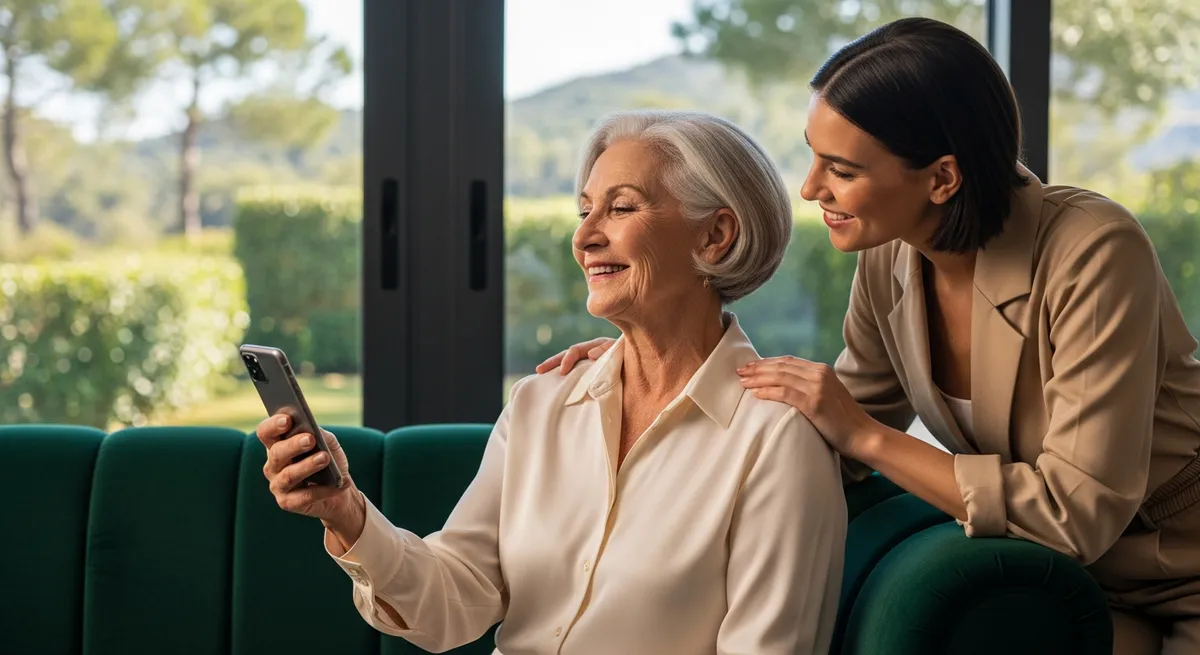
Learning a smartphone later in life often feels like being left behind in a world that moves too fast for comfort. Our guide provides the simple steps you need to master your device and stay connected with your loved ones.
Dealing with the Big Button
Estelle kept the box on the kitchen table for eleven days. Her daughter had driven three hours to bring it - had set it down between the salt shaker and the bowl of clementines, and had written the Post-it in green marker, pressing hard enough that the words had a little ridge you could feel with your thumbnail. Just press the big button. The box was white and very clean and Estelle had wiped around it twice with the sponge without touching it.
Marcy's nail clicked the glass four times in a row, demonstrating, and the screen lit up and went dark and lit again. Estelle watched her daughter's hands the way she used to watch a card dealer - too fast - not meant to be followed. When Marcy held the phone out, Estelle pressed, and the whole screen jumped sideways and became a photograph of someone's lunch. Neither of them said anything for a moment, and then Marcy laughed, and then Estelle did too - but Estelle's laugh was shorter.
Capturing Moments in the Garden
The cardinal would land on the feeder rim and she would hold the phone out and the screen would go dark before she could find the small circle that was the button, and the bird would be gone, and the branch where it had been would still be moving. She learned to press the side first to wake it, then turn, but the waking cost a second and the second cost the bird. She took eleven photographs of the empty feeder before she got one with the cardinal in the corner - blurred, a red smear at the edge of the gray morning. She sent it on a Thursday and Walter texted back a heart and she held the phone with both hands under the fluorescent and looked at the heart for a long time.
She had written Ruth's number on a strip of masking tape pressed to the inside of the cabinet door, below the blood-pressure log and above the takeout menu from the Chinese place that closed, and she read each digit aloud as she typed it, the way she'd once read recipes. The wheel turned on the screen - white spokes going around on gray, and she stood at the counter and let it turn. When the young man on the phone said *the account is no longer active*, she set her free hand flat on the laminate and felt the cold of it, and outside the feeder swayed once in no wind. She asked him to repeat it, not because she hadn't heard - but because she needed another second inside the word *active*, on the near side of understanding what it meant.
Finding Comfort in the Gallery
She set it face-down on the yellow place mat, the one with the roosters, and drank her coffee looking at the back of it, the small apple and the single leaf. The cup went back in the cabinet Monday - Tuesday, Wednesday, the rooster place mat rolled and put in the drawer. On the eighth day she picked it up because the mail had come and her hands needed something, and when she pressed the side button the gallery opened to a photograph she hadn't taken on purpose: the ceiling above her bed, the water stain shaped like a boot - the dark, her own thumb a pale blur at the corner of the frame, reaching.
She walked to the drugstore on Tuesday with the phone in her coat pocket and slid it across the photo counter to a teenager who took it without looking up, and three minutes later handed back a four-by-six of the water stain, the boot shape - the pale blur of her own thumb reaching into the dark. Estelle paid with exact change from the small leather pouch she kept for prescriptions. At home she opened the kitchen drawer - the rubber bands, the dead batteries, the green Post-it still in Marcy's hand - and set the photograph face-up among all of it, the ceiling of her own bedroom looking back at her from below the takeout menus. She closed the drawer and didn't open it again that day, but she knew what was in there now - the way you know about a bruise before you press it.
Discovering Saved Memories
She found a voicemail from Ruth in March, eleven months old, the phone having held it all that time without telling her. Ruth's voice said *I'm making the soup, the one with the barley, come Thursday if you want* - and Estelle stood at the sink with the faucet running and listened to it three times, the water going warm and then hot against her wrist. She pressed the small button that said *save* and the phone asked her to confirm and she pressed it again, the way you press a bruise, knowing. The barley soup was Ruth's mother's recipe and Estelle had eaten it a dozen Thursdays and never once written it down.
She found the camera roll in April, scrolling back to find the cardinal - and kept going past the water stain, past the empty feeder, past eleven black photographs she must have taken in her coat pocket on the walk to the drugstore - and then the roll ended, a white wall, nothing before it - the phone's whole memory beginning on the day Marcy set the box between the salt and the clementines.
Mastering the Undo Feature
She found the contact entry in May, the one Marcy had typed in for her, and pressed the small word *edit* by accident, and the letters of Ruth's last name disappeared one by one under her thumb before she understood what was happening and set the phone face-down on the rooster mat and left it there until the coffee was cold.
She found the tutorial video in June, a young man in a headset against a white wall - and watched him tap the same corner three times to show her how to undo, how to bring back what the thumb had taken - and she watched it to the end, and then watched it again with a pencil in her hand, and wrote *triple tap* on the back of an envelope from the electric company, and when she opened Ruth's contact and pressed *edit* and put the letters back - one by one, the name reappeared in the same thin gray font Marcy had used, and it looked exactly right, and it was no help at all.
Connecting at the Local Library
She found a group called Seniors and Smartphones that met Tuesday mornings at the library, a circle of folding chairs around a table with a bowl of wrapped candies no one touched - and the woman running it had a lanyard with her name in large letters and spoke the way people speak to someone standing at the bottom of a well. Estelle typed her passcode wrong twice and the phone said *try again in one minute* and she sat with it face-up in her lap watching the minute go, the second hand on the clock above the door moving the way second hands do when you're watching them. On the drive home she passed the church where Ruth's service had been, the parking lot empty now, the marquee sign changed to something about a potluck, and she reached into her coat pocket and felt the phone there - warm from being held, and kept her eyes on the road.
💡
Pro TipWhen learning a smartphone later in life, focus on one feature a week - such as the camera or text messaging, to avoid feeling overwhelmed by the total interface.
Frequently Asked Questions
Is it common to struggle with touchscreen sensitivity?
Yes. Many people find the light touch required by glass screens to be a major adjustment compared to physical buttons. Adjusting the haptic feedback in your settings can help make the phone feel more responsive to your touch.
How can I avoid deleting important contacts?
Taking a screenshot of your contact list or keeping a physical backup in a notebook is a great way to ensure you never lose a number. Most devices also offer an "undo" feature or a recently deleted folder for accidentally modified items.
Where can I find help in my local community?
Public libraries and senior centers frequently host workshops specifically designed for digital literacy. These sessions provide a low-stress environment where you can ask questions alongside others who are facing similar challenges.
Can I make the text on my screen larger?
Absolutely. Within the "Accessibility" or "Display" menus of most smartphones, you can significantly increase font size and contrast. This makes reading messages and handling apps much easier for those with visual preferences.
How do I stop my screen from going dark too quickly?
You can adjust the "Auto-Lock" or "Screen Timeout" settings to keep the display active for a longer period. This gives you more time to find the right button or read a notification before the device goes to sleep.
Disclaimer: This article provides general information and narrative context regarding technology use. It's not intended as professional technical support. For specific device issues, consult the manufacturer's documentation.